
World of Anterra Beginner Guide: Tutorials & First Interactions
Prepare for World of Anterra with official previews of contextual tutorials, interaction icons, harvesting, reading, and the torch sequence.
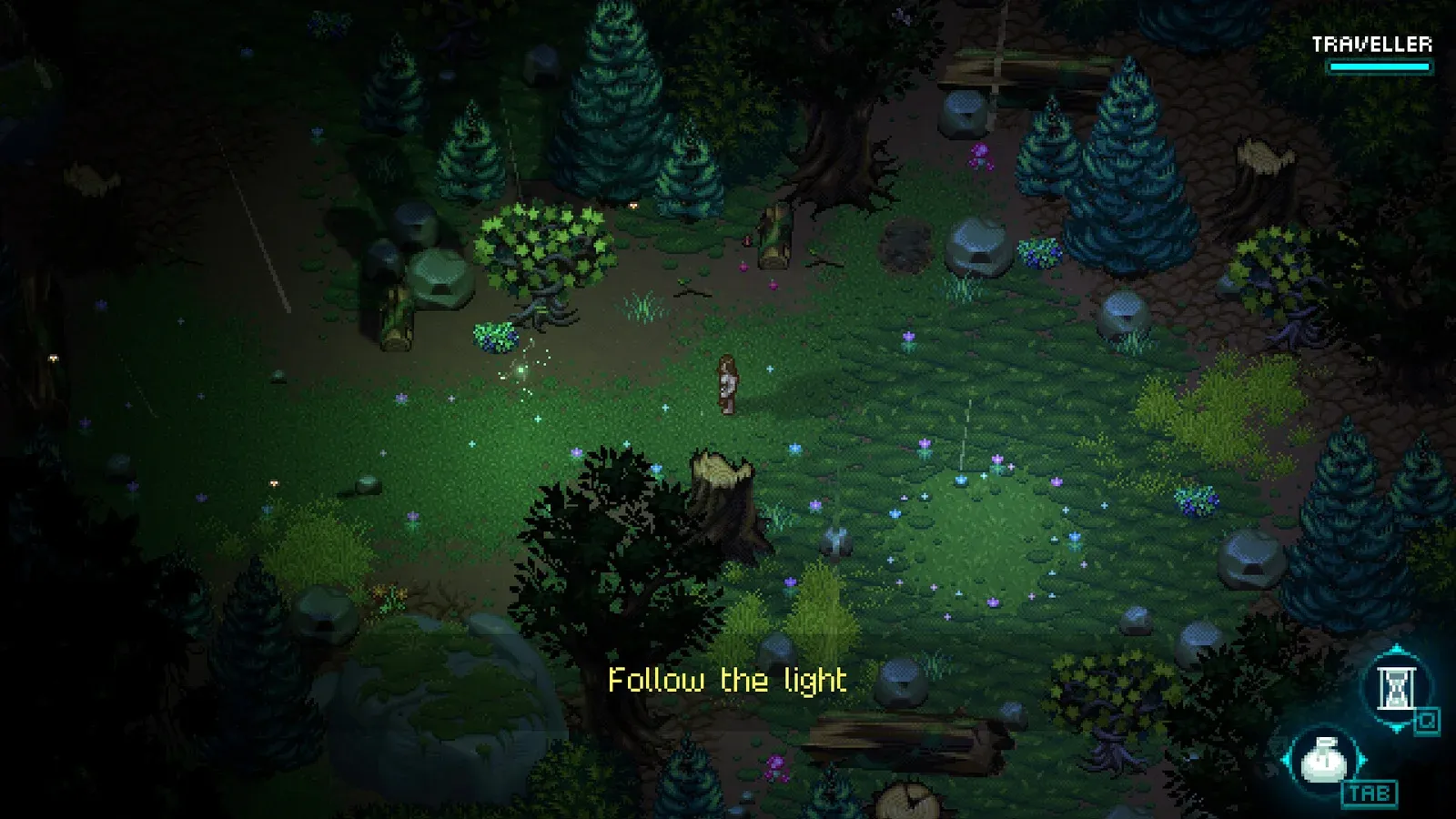
Start with the developer’s interaction previews
Anterra’s everyday objects are part of learning how its world works. This World of Anterra beginner guide explains the interaction cues demonstrated by 81monkeys, helping you recognize opportunities to open, harvest, and read. Use this guide to prepare for contextual tutorials and understand the developer’s torch example before tackling more complicated activities.

World of Anterra Trailer 2 — "Let them cook!" · 81monkeys
Official development trailer used as a general visual reference. It is not a keyword-specific tutorial, a device benchmark, or proof that a playable build has released.
As of October 27, 2026, the official World of Anterra Steam listing marks the game as not yet available and gives a planned release year of 2026, without a specific month or day. The guidance here comes from developer descriptions and development demonstrations, rather than testing a released build.
That distinction matters most when instructions become specific. The available material explains how interaction prompts work, but it does not establish a complete opening route, exact control bindings, or crafting recipes.
| Topic | What the official material establishes | How to use that information |
|---|---|---|
| Everyday interactions | Outlines identify interactable objects, while animated icons describe actions | Look for both cues when approaching something |
| Tutorial timing | Guidance responds to player actions and proximity | Approach an object before expecting its tutorial |
| Torch example | The showcase covers collecting, igniting, and extinguishing a torch | Learn the demonstrated sequence without assuming extra steps |
| Other activities | Camping, crafting, building, gathering, and fishing are announced | Treat them as activities to learn when instructions become available |
The practical purpose of this guide is preparation: understanding the interface’s visual language and recognizing when the game is offering help.
Read outlines and animated interaction icons
The developer’s official tutorial feature showcase describes two complementary cues. Interactable objects receive an outline, and animated icons communicate the action associated with them.
Outlines help distinguish usable objects from surrounding scenery. They also address visibility problems: a roof can obscure a door, for example. The accompanying icon still provides information about the interaction.
The animation has a separate purpose. Because the demonstrated interactions share one interaction button, showing only a button symbol would provide limited information. The moving icon explains what pressing that button will do.
| Animated interaction example | What the icon communicates | Beginner takeaway |
|---|---|---|
| Opening a door | A door-opening action | Check the action cue when the doorway is difficult to see |
| Opening a container | Accessing a container | Recognize this before looking for items inside |
| Reading | A reading action | Watch for opportunities to engage with written material |
| Harvesting | Gathering from a harvestable object | Identify the gathering action before interacting |
| Sitting | Taking a seat | Recognize an interaction intended for a quieter moment |
| Mounting | A mounting action | Use the icon to distinguish it from other interactions |
For this guide, the useful habit is straightforward: notice the outline, read the animated action, then use the interaction control. This is a suggested way to interpret the demonstrated interface, rather than a separate mechanic.
the developer’s explanation does not identify a universal keyboard key or controller button label. Use whichever binding the game presents rather than assuming a familiar key from another RPG.
Also distinguish an interaction icon from a tutorial. The icon describes an available action; a tutorial provides guidance when the system determines that help may be useful. Understanding one does not require waiting for the other.
Follow the demonstrated container and torch sequence
The clearest connected example in this guide is the torch tutorial. It shows how the developers connect a nearby object, an item, and an ability-related lesson.
The showcase describes collecting a torch from a container, switching between abilities during the “Ignite Torch” tutorial, and later receiving an opportunity to extinguish the torch when daylight arrives. Those are the supported stages; exact inputs and additional requirements are not established by the developer’s explanation.
| Demonstrated stage | What the developer shows or describes | What to pay attention to |
|---|---|---|
| Collect the torch | A tutorial asks the player to obtain a torch from a container | The relationship between opening the container and collecting its contents |
| Follow “Ignite Torch” | The player switches between abilities during this tutorial | The ability guidance presented during the sequence |
| Extinguish it at sunrise | The player can act before the extinguishing tutorial appears | The opportunity to complete a familiar action independently |
Collect the torch from its container
The first lesson connects an environmental interaction with an item pickup. A container holds the torch, and the tutorial asks the player to collect it.
Use this example to understand why containers deserve attention during onboarding. The material does not provide a named location, map coordinate, or verified route to this particular container, so an exact navigation walkthrough would go beyond the evidence.
Follow the ability-switching guidance
The ignition example explicitly includes switching between abilities. Pay attention to that part of the tutorial rather than assuming that collecting the torch completes the lesson.
the developer’s description does not name the abilities involved or explain a complete input sequence. It therefore cannot support instructions about a particular spell, equipment slot, resource cost, or ignition shortcut.
Recognize when guidance can be skipped naturally
When the sun comes up, the player has a chance to extinguish the torch before the corresponding tutorial triggers. This demonstrates an important part of the design: some tutorial beats can be avoided when the player has already worked out the action.
It does not establish that every tutorial is optional or that a global tutorial toggle exists. The supported point is narrower: the system can recognize that a particular lesson is already unnecessary.
Learn harvesting, reading, and contextual tutorial timing
The opening area described by the developers contains harvestables, containers, and items to pick up. In most cases, its tutorials appear when the player approaches something relevant.
That gives beginners a useful expectation. Seeing an object in the distance does not necessarily mean its tutorial should already be visible. The developers revised an earlier approach that displayed guidance as soon as an object came into view and kept it present until the action was completed.
The demonstrated design instead ties guidance more closely to proximity and player behavior. A useful habit from this guide is to approach an object and examine its cues before deciding that you have missed an instruction.
Harvesting: start with the demonstrated interaction
Berry harvesting is the developer’s example of contextual teaching. It illustrates guidance appearing around a relevant action, rather than presenting a large explanation before the player encounters anything useful.
When learning this system, focus on recognizing the harvest animation and understanding the nearby prompt. The reviewed material does not establish gathering yields, respawn times, or an efficient resource circuit. There is no evidence-based reason to turn this example into a farming route.
Reading: recognize another use of the shared button
Reading appears among the animated interaction examples. The Steam description also identifies books and questions as ways to learn about Anterra’s history, magic, and ancient races.
For a beginner, that makes the reading icon worth recognizing alongside doors and containers. It signals another kind of engagement with the world, even though it uses the same interaction button. No specific book location or mandatory reading order is supplied.
Environmental actions also include using weapons
The official breakables and non-combat mechanics preview shows that weapons also have uses outside encounters. Examples include striking vases or baskets and cutting obstructing vegetation.
Keep that distinction in mind when interpreting the environment. Opening a container and breaking an object are different demonstrated actions. The preview supports their existence, but it does not justify a rule that every object should be smashed or that every obstacle hides a reward.
Set realistic expectations for crafting, camping, and fishing
The official World of Anterra website announces camping, crafting, building, resource gathering, and fishing. These activities help establish the range of things planned for the world, but the developer’s descriptions provide uneven detail.
This this guide treats those announcements as an outline of activities to expect. The available evidence is strongest for contextual interaction and the torch showcase, while several broader systems still lack enough detail for practical instructions.
| Activity | What is supported | What the reviewed material does not establish |
|---|---|---|
| Camping | The Steam description says camps can be used to sleep through darkness | Camp setup requirements, material costs, or additional benefits |
| Crafting | Crafting is announced, and Steam mentions crafted items | Recipes, ingredient quantities, or a recommended crafting order |
| Fishing | Fishing appears in the official activity list | Equipment requirements, controls, fishing locations, or catches |
| Building | Building is listed as an activity | Construction rules, placement limits, or available structures |
| Resource gathering | Gathering is announced, with harvesting demonstrated separately | Resource routes, replenishment schedules, or optimal collection targets |
Camping has a clear described purpose: passing the dark hours by sleeping. That does not establish healing amounts, safety guarantees, or other bonuses. Likewise, the existence of crafting does not reveal which materials a beginner should prioritize.
For preparation, separate recognizing an activity from mastering its system. You can learn what a harvesting prompt means from the showcase without knowing the eventual uses of everything gathered. You can understand why camping might be useful without having a verified camp recipe.
Once instructions become available in the game, follow those details for costs, requirements, and controls. Until then, the official previews support learning interaction cues more reliably than planning an optimized opening inventory.
FAQ
Is this World of Anterra beginner guide based on a tested walkthrough?
No. It explains the official descriptions and official development demonstrations. The contextual tutorials, animated icons, and torch example are developer-shown features. Exact routes, final control bindings, and a complete opening walkthrough have not been established by this material.
Which button opens containers and harvests resources?
The tutorial showcase says the demonstrated interactions use a shared interaction button. Animated icons distinguish actions such as opening, reading, harvesting, sitting, and mounting. the developer’s explanation does not identify a specific keyboard key or controller label, so follow the binding shown in the game.
Will tutorials force me to complete every lesson?
The developers demonstrate contextual guidance and describe some tutorial beats being avoided when the player has already figured out the action. Extinguishing the torch at sunrise is their example. This supports flexibility in that lesson, but it does not confirm that every tutorial can be skipped.
Are beginner crafting recipes or fishing instructions confirmed?
Crafting and fishing are announced activities, but the official references do not provide recipes or a fishing procedure. Camping has a more specific described use—sleeping through darkness—although its setup requirements are not supplied. Detailed recommendations about ingredients, equipment, and activity routes would therefore be premature.
What should I read next?
For related preparation, read exploration and quests, combat systems, and crafting and ration pouches. Each page separates developer plans from details still awaiting confirmation.
Related Articles
guides
World of Anterra Crafting & Rations: Announced Systems
Learn how World of Anterra plans personal ration pouches, food distribution, buff meals and crafted barrel fuses, using official developer previews.
guides
World of Anterra Exploration Guide: Quests, NPCs & Hidden Paths
Explore World of Anterra's announced quests, NPC routines, hidden paths, breakables, and water mechanics in this developer-preview guide.
guides
World of Anterra Character Creation: Customization & Visible Gear
Explore World of Anterra character creation, including visible gear, animation layering, palette swapping, and details still unconfirmed.
Was this helpful?
Thanks for the feedback!